The player panel (apiVersion 9)
From Kino 0.9.55 your plugin can open its own panel from the player: a surface you describe in JavaScript
for what is playing right now (movie, episode, copy, position), with text, images, buttons and inputs, whose
values are kept per video or for your whole plugin and synced across the person's devices. The same panel can
drive the player (seek, speed, picture size, markers, an end-of-episode countdown) and, with playerEvent,
you can learn what happens during playback. All of it needs "apiVersion": 9; below that, or on Kino 0.9.54 and
older (which refuse a manifest with "apiVersion": 9), none of it exists. Your plugin must not depend on it
to play.
A complete example with every element, both tabs and every action is sdk/test/panel-demo in the
kit's repository; there is a small one below.
From "apiVersion": 14 (Kino 0.9.74) the panel can also be built with the screen kit, a tab can live in another plugin's
panel or on a live channel, and the person can pin it next to the video: see
The panel built with the screen kit.
From "apiVersion": 23 (the next Kino release) a plugin can also keep up to three small elements in the top-right corner of
the TV player, and a button there can open this panel (openPanel): see The player slot.
What is not in this version
ai (Kino's AI) and chat do not ship in Kino 0.9.55; they come in a later version. If your panel includes
an ai or chat element, Kino drops it and writes "needs a newer Kino" to the log. There is no kino.socket
either.
Where it appears
- A button with the name and icon from your manifest, next to the subtitles one ("Audio y subtítulos"), only while a title from that plugin plays. On the phone it sits in the icon row at the bottom, beside the subtitles one (if the row does not fit it scrolls, and the panel button is among the first); on the TV, right after the subtitles button, reachable with the remote's D-pad.
- It does not appear if the plugin is off or damaged, if its
apiVersionis below 9, if the manifest does not declarepanel, or if the plugin does not exportpanel. On the TV, a plugin's live channel has no on-screen buttons, so it has no panel; channels in the En vivo tab do not either (on the phone, a plugin's live channel does have it). - The video never pauses while the panel is open. Back, or the X, closes it; it also closes when the app goes to the background and when the app's language changes.
- While the panel loads the person sees "Cargando el panel…". If the first call fails they see the message and "Reintentar" / "Cerrar"; if a panel was already showing, the error appears as a red line and the panel stays.
The manifest: panel
"apiVersion": 9,
"panel": { "label": "Opciones", "labelEn": "Options", "icon": "tune" }
| Field | What it is |
|---|---|
label |
1 to 24 characters: the button's name. |
labelEn |
Optional, 1 to 24: the name when the app is in English (label is used when it is missing). |
icon |
Optional: one of Kino's 16 icons: info, tune (the default), settings, star, bolt, language, subtitles, list, magic, heart, movie, tv, sports, music, bookmark, help. An unknown name draws tune (and validate.mjs warns you). |
iconFile |
Optional: your own icon, a file in your plugin's repository next to the manifest (relative path, .png). A PNG of exactly 96×96 px, with an alpha channel, at most 24 KB. Kino draws only its alpha and tints it with the button's colour (focused or not), so a full-colour image shows as its silhouette. Kino downloads it on install and on update; if it does not qualify the install fails with "The panel icon must be a 96×96 px PNG with a transparent background, at most 24 KB". If it later fails to load, the button draws tune. |
icon and iconFile do not go together (the manifest is refused). Declaring panel requires exporting panel;
panelAction and playerEvent are optional (an action without panelAction shows the plugin's error in the
panel). An empty label, one over 24, a panel that is not an object, or an iconFile that is not a relative
path to a .png are refused at install. Below apiVersion 9 the field is ignored. See also
the manifest.
panel(context): what you receive
export async function panel(context) { /* returns a Panel */ }
Kino calls it when the panel opens, when a tab is pressed (with context.tab) and every refreshMs. The context
carries exactly these keys (an optional field Kino does not know is left out):
| Field | What it is |
|---|---|
kind |
"movie", "episode" or "live". |
ref |
the ref of the title playing, exactly as you gave it. |
title, year? |
the title and the year. |
season?, episode?, episodeTitle? |
only for an episode. |
ids |
the ids Kino knows for the title: tmdb, imdb, mal, anilist (tvdb and kitsu exist in the type, but Kino does not send them today). |
playing |
the copy playing: today Kino fills only label (the name the person sees in "Servidor"); lang, quality and server exist in the type and are not sent. |
positionMs, durationMs?, paused |
the position; the duration (absent for live or while the player does not know it); whether it is paused. |
seekStepMs |
the back/forward step in effect (10,000 by default). |
stats |
read-only stats, only what the player knows: width, height, videoCodec, audioCodec, bitrateKbps, bufferedMs, droppedFrames, network (wifi, ethernet, cellular or other), stallsThisSession. |
device |
"tv" or "phone". |
lang |
the app's language, "es-CO" or "en-US". Use it for your own texts. |
tab? |
the tab the person asked for (absent the first time). |
values |
what the person (or you) saved: { video: {…}, plugin: {…} }. |
player |
the player's properties in effect: seekStepMs, speed?, resize? ("fit" if nobody changed it) and your autoNext? if you set one. |
features? |
Kino 0.9.64, additive: what this Kino draws beyond apiVersion 9's panel; "loading" means it understands the loading element. Absent on an older Kino, which drops it as an unknown type: check it before you answer with one. |
The context carries nothing about other plugins or the person's account.
Panel: what you return
return {
  presentation: "panel",       // "modal" (default) or "panel"
  title: context.title,        // up to 60 characters (also titleEn)
  accent: "#2E7D32",           // optional, #RRGGBB
  refreshMs: 10000,            // optional, 2000 to 60000
  tabs: [{ id: "info", label: "Info" }],   // optional
  tab: "info",
  elements: [ /* elements */ ],             // at most 40 at the top level
};
presentation: accepted for compatibility and no longer read: every panel draws the same way, as a drawer over the whole player (from the right on the TV and on a phone held sideways, from the bottom on a phone held upright), with the video visible and still playing behind it. Any value ("modal","panel"or none) looks the same.accent: a#RRGGBBthat paints the top bar, the states and the focus. It follows the same contrast rules astheme'saccent; if it fails, Kino's own is used and the panel stays.refreshMs: asks Kino to callpanel(context)again every so often while the panel is open (2000 to 60,000, clamped). Calls never overlap (the next waits for the previous one and for any action); one that fails or times out is skipped without showing an error; refreshing stops when the panel closes or the app goes to the background.titleand the other texts have an...Entwin (titleEn,labelEn,textEn…) shown when the app is in English, like the settings form's texts.- Everything is validated. An invalid element is dropped with a line in the plugin's log; a panel that is not an object shows nothing.
Elements
Every element may also carry enabled: false (shown dimmed, focus skips it) and hidden: true (not drawn). A
key is 1 to 128 characters of A-Z a-z 0-9 . _ ~ - and is unique across the whole panel (a second element
with the same key is dropped). Anything that can be pressed or holds a value carries a key.
type |
Fields | Notes and limits |
|---|---|---|
section |
title, text? |
a heading with optional text; title up to 60, text up to 1000. |
text |
text |
multi-line text, up to 1000 characters; not selectable and does nothing. |
status |
text |
a highlighted status line, up to 200 characters. |
image |
url, aspect?, alt? |
https only, on a public address: Kino never reaches the device's or the home network's addresses (the one exception is a server the person typed in your plugin's settings); aspect is 16:9, 2:3, 1:1 or banner; alt up to 200. If it fails to load it takes no room and never breaks the panel. |
button |
key, label, confirm? |
pressing it calls panelAction with trigger: "press". label 1 to 40 (longer, and the button is dropped). With confirm (up to 160) Kino asks first. |
toggle |
key, label, scope, hint?, autoSave? |
a switch. Calls panelAction with trigger: "change". |
select |
key, label, scope, options, hint?, autoSave? |
a list of 1 to 20 options { value, label } (each 1 to 40, values distinct; one bad option drops the select). |
text-input |
key, label, scope, hint?, placeholder? |
a text field. Calls panelAction with trigger: "submit" only on confirm (the TV keyboard's "Listo", the phone keyboard's action), never per keystroke. placeholder up to 40. |
qr |
url, label? |
a QR code plus the link's text; https only, up to 512 characters, on a public host with a dot (or a public IPv4 address): never the device or the home network (no local or single-name host, private address or IPv6 literal). On the TV it is read with the phone's camera; on the phone, tapping it opens the link. Kino never opens it by itself. label up to 40. |
loading |
text? |
Kino 0.9.64, additive (any apiVersion): a spinner with text beside it (if missing, Kino's "Cargando…"). Answer at once with the tab's shell and this element, and set refreshMs so Kino asks again once you are done. Send it only when context.features includes "loading": an older Kino drops it as an unknown element (answer with a status there instead). |
episodes |
ref |
the list of the playing series' episodes with the current one highlighted; choosing one plays it, through the same path as "next episode". It may be empty (a movie, for example) and then takes no focus. |
row, col, card |
see layout | containers. |
ai, chat |
not in this version: dropped ("needs a newer Kino"). |
Rules for the elements that hold a value (toggle, select, text-input):
scopeis"video"(one value per title; for a series, per episode) or"plugin"(one for all your titles; the default when you leave it out). Any other value drops the element.- The value on screen comes from
context.values[scope][key]. hintup to 80 characters; the label 1 to 40; withautoSave: true(only when it is exactlytrue) each change saves itself (see Persistence).toggleandselectreport 300 ms after the last change (several in a row merge into one).
Layout: rows, columns and cards
You build the panel with containers, never with pixels: only weights, gaps and an image's aspect, so nothing
overflows on a TV or a phone.
{ type: "row", gap: "small", children: [
  { type: "col", weight: 4, children: [{ type: "image", url: "https://…/poster.jpg", aspect: "2:3" }] },
  { type: "col", weight: 8, children: [{ type: "text", text: "…" }] },
] }
| Container | Fields |
|---|---|
row |
children, gap? (none, small, medium, large; 0, 8, 16 or 24 dp), align? (start, center, end, stretch), stackOnNarrow? (default true). Puts its children side by side. |
col |
children, weight? (1 to 12; any other value is 1), gap?, align?. A column inside a row takes weight shares of its width. Any loose element in a row weighs 1. |
card |
children, title? (up to 60), style? (plain with no border or padding, outlined with a border, filled with a background). A framed group. |
- Limits: nesting at most 4 levels deep (containers count), at most 6 children per row, at most 120 nodes in the whole panel (containers count; a dropped one does not spend any). Anything over is trimmed with a log line (at most 10 lines per panel, then "N more problems not logged"), and never breaks the panel.
- Narrow screens. A row with
stackOnNarrow(the default) stacks its children vertically, in order, when the panel's space is under 480 dp (a phone held upright, or a narrow strip).stackOnNarrow: falsekeeps them side by side.align: "stretch"in a row aligns to the top (it does not equalise heights); in a column it makes the children fill the width. - Dimmed and hidden. A container with
enabled: falsedims everything inside it and takes it out of focus; one withhidden: trueis not drawn (a row whose children are all hidden leaves no gap).
Scroll and focus
- The panel scrolls when the content does not fit: by touch on the phone; on the TV the focused element is always brought into view, with a margin (D-pad up/down moves focus and scrolls).
- Text, sections, images and status lines take no focus (they are scrolled past). Buttons, inputs,
episodesandqrdo. - TV: focus starts on the first element that can take it (the close X if there is none); inside a row, left/right; between rows, up/down, in reading order. Focus does not leave the panel and Back closes it: to reach the player's controls, close it first. While the panel is open the player does not steal focus. The whole panel body is reachable with the D-pad (the QR and long text blocks are focus stops so they scroll into view) and, if the focused control disappears when your answer replaces the panel, focus returns to the first control.
- Phone: the panel does not take focus on its own, so a text field does not raise the keyboard. The strip fits between the top bar and the bottom controls while they are shown.
- An action's answer may ask for
focus: "<key>"to move focus; it only applies on the TV, once per answer (a refresh does not repeat it). - A busy button (waiting for your
panelAction) shows a spinner and ignores another press without dropping focus.
Tabs
tabs: [{ id, label }] (at most 6; id like a key, label up to 24, duplicates are dropped) and tab (the
current one; the first if it does not exist). They draw as a strip at the top (left/right on the TV). Pressing one
calls panel(context) again with context.tab: you build each tab's content. There is no tab trigger: the
tab arrives in the context.
panelAction(event, context): your JavaScript is in charge
export async function panelAction(event, context) { /* returns an answer, or null */ }
It is called with two arguments. Kino only draws what you return and tells you what the person does; you can
read any field, compute, call kino.fetch, kino.tmdb, kino.meta, kino.storage, and answer with a new panel,
values and player actions.
event = {
  key: string,                                  // the element that fired
  trigger: "press" | "change" | "submit",       // "tab" and "open" are reserved: this version never sends them
  values: Record<string, Value>,                // the CURRENT value of every input on screen, saved or not
  value?: Value                                 // the new value of `key` on "change" and "submit"
}
press is a button; change a toggle or select; submit a confirmed text-input.
What the answer may carry
Every field is optional; null (or nothing) means "nothing to do".
| Field | What it does |
|---|---|
panel |
replaces the whole panel (same rules as panel(context)). |
patch |
{ "<key>": element }: replaces just those elements in place (only elements that have a key: button, toggle, select and text-input; to change a text, a status or an image, return a whole panel). At most 40 keys; each entry is a single node, validated like any element and with its own 120-node budget. Kino drops it (with a log line) if the key names no element on screen, if it repeats another element's key in the panel, or if the resulting panel passes 120 nodes or 4 levels. |
values |
{ "<key>": value }: changes what the inputs show (clear one, fill one from another). At most 120 keys; each value is a string of up to 500 characters, a boolean, a finite number or null. It does not save. A key that is not an input on screen is ignored. |
save |
["<key>", …]: saves those inputs, each with the scope it declared (at most 50). Only keys of inputs that are on screen are saved. Also, the toggle or select with autoSave: true that fired the action saves itself, without you listing it. |
focus |
the key to move focus to (TV). |
message |
a short notice for the person, up to 160 characters, that Kino shows as a brief message. It goes through the same rules as a userMessage (Kino shows it as "Message from <your plugin>: …" ("Mensaje de <your plugin>: …" in Spanish), and if your plugin's name cannot introduce it, for example Cuevana3, it is dropped); if it does not pass, it is dropped with a log line. |
player |
actions on the player: the table below. |
Kino applies, in this order, panel or patch, values, save, focus, player and, last, message.
While your panelAction runs, the control that fired it shows it is busy; there is one action in flight and
the others wait their turn (in order). An error or a timeout shows as the plugin's error line inside the panel,
without closing it, and never leaves anything half-saved: values are written only after your action returns
without error. A save that spans both scopes is saved whole or not at all.
Driving the player: player
A panelAction or playerEvent answer may carry player: { … }. Any other key inside player is ignored with a
log line (the rest of player still applies). A value outside its range is clamped or dropped, also with a log line.
| Property | Values | What it does |
|---|---|---|
seekToMs |
a number; clamped to 0 up to the duration | seeks to that position, through the same seek the other controls use (also when casting). Ignored for live. Never pauses or restarts playback. At most one seek per second per plugin, counting the panel and the events together; the rest are dropped. |
seekStepMs |
5000 to 120,000, in whole seconds | the back/forward step (remote, keyboard, double tap and buttons); the on-screen labels follow the value ("−30", "+30"; at 10 s the usual icons stay). |
speed |
0.5, 0.75, 1, 1.25, 1.5, 1.75 or 2 | the playback speed. |
resize |
"fit", "fill", "zoom", "4:3", "16:9" or "21:9" |
the picture size. |
skip |
{ openingStartMs, openingEndMs, endingStartMs } |
the skip intro/outro button for this video, with the same rules as Stream.skip. |
markers |
up to 30: { atMs, label } (label up to 24) |
dots on the progress bar ("Goal 63'"), also in the markers menu; choosing one seeks there. Replaces the video's list; an empty list clears it. |
autoNext |
{ enabled, countdownS, nextRef? } |
the end of an episode: see below. |
autoNext controls what happens when a chapter of your plugin ends:
- No
autoNext, orcountdownS: 0with nonextRef: it moves to the next one at once, as always. { enabled: false }(needs nocountdownS): the player stays at the end, without advancing.{ enabled: true, countdownS: 1..30 }(withenabled: true,countdownSis required; 0 to 30): a card at the bottom right says "Siguiente en N s" with "Ver ahora" (TV focus starts there) and "Cancelar" (Back also cancels and leaves the player at the end). At zero, or on "Ver ahora", the next one plays. If the person seeks back or resumes, the countdown is cancelled.nextRefsuggests which one is next: it is used only if it is therefof an episode in the series' list; otherwise Kino's own next one plays and a log line is written. WithcountdownS: 0and a validnextRef, it plays at once with no card. The countdown starts only where Kino would have advanced anyway (where a next chapter exists).
Who wins
Everything applies only while your plugin's content plays, and what the person does by hand always wins:
- Speed and size: if the person taps the speed button or the player's zoom, your
speedorresizeis ignored for as long as that playback screen lasts. The person's own speed cycle does not change (0.75, 1, 1.25, 1.5 and 2); your 0.5 and 1.75 are applied and shown, and the next tap moves to the next step of the person's cycle. The TV has no speed button, so there the person cannot override yours. - Skip intro/outro: a manual correction by the person (the "No tiene intro/outro" button, or adjusting the
times) wins over your
skip. It is not saved for live channels or 18+ titles. - The rest (step,
autoNext) you save and the person sees as part of the plugin; "Restablecer" undoes it. - The context (
context.player) tells you what is really in effect: the person's speed if they changed it, else yours, else 1; and forresize,"zoom"/"fit"if the person touched the zoom.
Persistence and sync
- Values with
scope: "video"are stored per plugin and per title (the title's key is the playing item's: for a series, the episode); those withscope: "plugin", per plugin. - The player properties are stored the same way, without you writing anything:
seekStepMs,speed,resizeandautoNextper plugin, andmarkersper video.skipgoes to that episode's skip button. - Limits: at most 50 keys per scope and values of at most 500 characters; over that, the whole write is refused with "Couldn't save: …" (in Spanish "No se pudo guardar: …"). Kino also keeps at most 1500 live values in total on the device (all scopes and all plugins); past that, the oldest per-video values go.
- It syncs both ways across the person's devices, like everything of theirs (last write wins per key). A value that arrives from another device updates the open panel.
- It is removed when the plugin is uninstalled.
- Every panel has the "Restablecer" button at the bottom, which Kino provides (not you): it asks "¿Qué quieres
dejar como estaba?" with "Solo este video" (clears that title's values, its markers and the
skipthat came from your plugin) and "Todo lo de este plugin, en todos los videos" (clears every value of the plugin and the step, speed, size andautoNextreturn to their defaults; skip-intro times already saved stay).
playerEvent(event, context): learning what playback does
Export playerEvent (it needs no panel) to know what happens while one of your titles plays. It is
fire-and-forget: Kino expects nothing back and never blocks on it.
export async function playerEvent(event, context) {
  if (event.type === "ended") return { player: { autoNext: { enabled: true, countdownS: 8 } } };
  return null;
}
The event is flat, { type, ...detail }, and the context is the panel's own (with values):
type |
When | Detail |
|---|---|---|
started |
the first time the title is ready. Another copy of the same title does not repeat it. | |
paused, resumed |
when the person pauses or resumes (the intent to play changes). Buffering or a seek sends nothing. | |
ended |
once per title, only at the real end (a stream cut midway does not count), never for live. | |
failed |
an error happened (it does not mean playback is over: a copy switch or a reopen may follow). | kind: for video, the player's error code name (such as "ERROR_CODE_IO_BAD_HTTP_STATUS") or "UNREACHABLE_SERVER"; for live, the error class. For live it is sent per error, within the reopen budget. |
copyChanged |
the copy playing changed. | automatic (true if Kino switched, false if the person chose), label? (the new copy) and, when automatic, kind (why the previous one failed). |
- Only
started,paused,resumedandendedfrom the regular player are sent: a download that plays from the service and casting to another screen (Chromecast, DLNA) do not send them.failedandcopyChangedstill go. Channels in the En vivo tab send no events. - They do not overlap. There is at most one call in flight per plugin; while it runs, only the latest event
that arrived is kept and sent when it ends (a waiting
failedorendedis not replaced by apausedorresumed). A waitingfailedcan be replaced by a latercopyChanged. - 5 s limit per call; past it the event is dropped with a log line and the next one goes.
- Of your answer only
playerandmessagecount (through the same rules as above, and the same limit of one seek per second per plugin, panel included); anything else is ignored. An error, a timeout or an invalid answer is logged and dropped: it never stops the video. - An answer that arrives after the person changed title is dropped.
settingsLayout: arranging your settings
Your plugin's form (Ajustes ▸ your plugin) can use the same containers. It is backward compatible: settings
stays as always (keys, types, defaults, required, validateSettings…) and the layout only places settings
that already exist, by key.
"settings": [ …as always… ],
"settingsLayout": [
  { "type": "card", "title": "Idioma y calidad", "titleEn": "Language and quality", "children": [
    { "type": "row", "children": [ { "setting": "preferred" }, { "setting": "maxQuality" } ] } ] },
  { "type": "text", "text": "Todo lo demás va debajo.", "textEn": "Everything else goes below." },
  { "type": "image", "url": "https://example.com/banner.png", "aspect": "banner" }
]
- The leaves are
{ "setting": "<key>" },{ "type": "text", "text" }(withtextEn) and{ "type": "image", "url" }(https, with the panel's image rules). The containers arerow,colandcard(withtitleandtitleEn) with the same limits and look as in the panel; in the formenabledandhiddenare ignored. - A layout never hides anything: a setting you do not name is appended at the end, in manifest order. A key
that is repeated or does not exist is ignored at run time (with a line in the plugin's log) and
validate.mjsflags it as a problem. - Without
settingsLayoutthe form is exactly as always, and an older Kino ignores the field and shows the usual list. AsettingsLayoutthat only lists the settings in manifest order, with no containers, looks the same as the list. Below apiVersion 9 it is ignored. - The
sectionsetting type keeps working; acardwith atitleis its richer version.
The panel built with the screen kit (apiVersion 14)
Available with Kino 0.9.74
Available from Kino 0.9.74. This section needs "apiVersion": 14; an older
Kino refuses these plugins with «Este plugin necesita una versión más nueva de Kino»; to keep reaching people on an
older version use enhancements (see Screens without raising your apiVersion). Everything above
stays valid as it is for apiVersion 9 to 13.
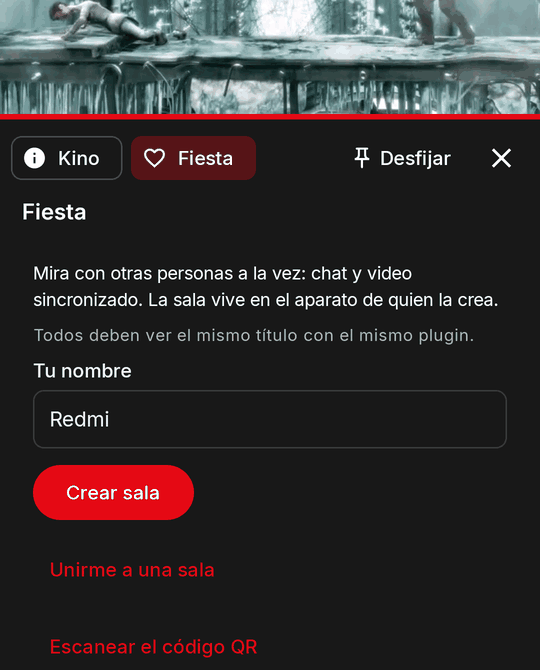
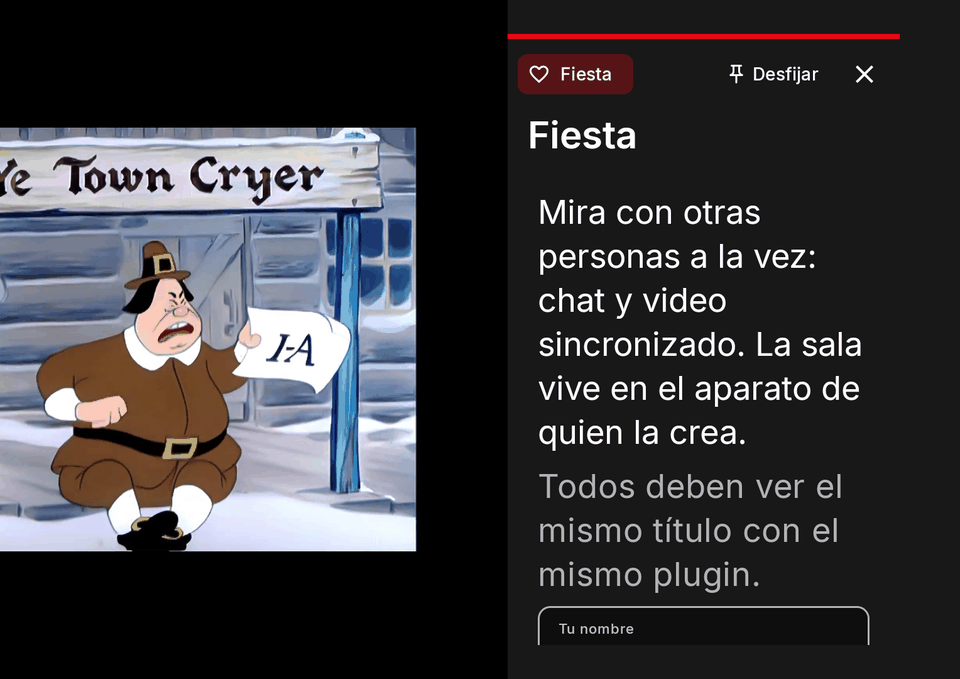
From apiVersion 14 the player panel can be built from the same nodes as a screen, a tab can live in another plugin's panel or on a live channel, and the person can pin the panel next to the video. The reference example is Party Chat (https://github.com/kinotvapp/kino-plugin-watch-party): a tab it contributes to any title's panel, with a room and a chat.
Legacy panel and screen mode
panel(context) may return { format: "screen", root, title?, titleEn?, tabs?, tab?, refreshMs?, accent?, player?, layout? }:
the same drawer (its title, tabs, refreshMs and accent follow the rules above; a tabs entry may also carry the shared
badge, "dot" or { text, textEn?, color? }, drawn beside its label) with a body that is
a screen tree. A result without format is the legacy panel, read and drawn exactly as before; the format may change from
one call to the next, and below apiVersion 14 a screen result is read as a legacy panel (logged).
export async function panel(context) {
  if (!(context.features || []).includes("screen")) return { title: "Party Chat", elements: [{ type: "status", text: "Actualiza Kino" }] };
  return { format: "screen", title: "Party Chat", root: { type: "Column", children: [{ type: "ElevatedButton", labelText: "Sincronizar", onPressed: "sync" }] } };
}
| What | In a panel in screen mode |
|---|---|
| Result | { format: "screen", root, title, titleEn, accent, refreshMs, tabs, tab, player, layout } |
| Tree | depth 6, 200 nodes; AlertDialog, BottomSheet and PopupMenuButton not drawn, unless it has an anchor (a popover inside the drawer, see anchor); no every |
| Context adds | state, size, and features holds "screen" while screens are on |
panelAction triggers |
press, change, submit |
| Answer fields kept | state, toast, toastEn, ui, config, go, close, focus, player, message, pause, panel |
| Answer fields dropped | dialog, sheet, menu, route, share, enableJob; legacy-only patch, values, save |
Differences from a full screen:
- Limits: depth 6 and 200 nodes. A
popupnode is dropped (pop-ups belong to the screen, not to the drawer) unless it has ananchor, andeveryis dropped:refreshMs(2,000 to 60,000 ms, only while the panel is open) is THE periodic call. - Calls: renders call
panel(context); the person's events callpanelAction({ event, context })withevent = { key?, trigger, name, arg?, value?, values }(triggerispress,changeorsubmit;tabandopenstay reserved); there is no reservedopenevent. An apiVersion 14 plugin'scontextcarriesstate(Kino's, kept for this title's playback) andsize(the drawer's classes; Kino's estimate until it measured itself) in every call, the first one included, because Kino cannot know the format before your answer. See state and per-size values. - Answers:
state,toast,ui,config,focus,go(every shape; all butscreenandcloseclose the panel first),close, and the legacyplayer,message,pauseandpanelare kept;dialog,sheet,menuandrouteare not honoured, andpatch,valuesandsaveare legacy-only (dropped, logged). AplayerEventanswer'spanel(either format) shows in that title's open panel, but itsstateis never applied: keep that in your own variables orkino.storage. See answers. - Detect the format: answer a screen result only when
context.featuresincludes"screen". Kino puts it there only while plugin screens are switched on; when they are off a screen result shows no panel, so answer a legacy one then. - Errors: a failed event shows the drawer's error line at once; three in a row show the panel's error state.
- TV: a toast's action runs from the remote's Menu or Play/Pause key (the drawer has no
Down-to-toast). The panel's text is a step smaller than a full screen's (the drawer and the dock are 360 to 480 dp wide):
h1draws at a screen'sh3size,h2ath4's,h3ath5's,h4andh5at the large body size,pat 15 sp; the phone's sizes do not change. - TV focus: in any panel, legacy or screen mode, only what does something takes focus and Kino's ring: buttons,
toggles, selects, fields, the episode list, the tabs, pin and close. A text, a section, a status, an image or a QR is
never a focus stop and never boxed: Up and Down page through them. When an answer's new tree no longer has the focused
node (a QR view replacing the pressed button), focus goes to the focusable now at or after its place; with none, the body
itself takes it (no ring) so Up and Down still scroll it. An answer's
focuswins. - Kino's own tab about the title shows, top to bottom, the poster with the title and its facts, the synopsis, the details, the images and last the cast (three cards a row, two on a panel under 360 dp), each part only when TMDB has it.
- Kit:
node sdk/run.mjs --state '<json>' --screen <folder> panelAction <ref> <name> <press|change|submit>.
Layout fill: a chat tab
A panel's body scrolls by default (layout: "scroll"): the tree has no height limit, so a
ListView draws flat and flex does nothing, and a row after a list sits right under
its last item. A chat wants the opposite: the messages take the room and the input row stays at the bottom of the panel,
like any chat app. Answer layout: "fill" (chosen per result: beside root in a panel() result, on the root object of a
screen() answer): the root is drawn at the body's size with no body scroll, flex shares the height left, and a
ListView with flex is lazy and scrolls itself.
export async function panel(context) {
  const messages = ((context.state || {}).messages || []).map((m, i) => ({ type: "Text", key: "m" + i, text: m }));
  return { format: "screen", title: "Party Chat", layout: "fill", root: { type: "Column", gap: 8, children: [
    { type: "Text", text: "Sala 1234", style: "h4" },
    { type: "ListView", key: "chat", flex: 1, stickToBottom: true, items: messages,
      empty: { type: "Text", text: "Sin mensajes", textEn: "No messages", color: "muted" } },
    { type: "Row", gap: 8, children: [
      { type: "TextField", key: "msg", flex: 1, hintText: "Escribe…", hintTextEn: "Type…" },
      { type: "IconButton", icon: "send", labelText: "Enviar", labelTextEn: "Send", onPressed: "send" },
    ] },
  ] } };
}
- Where the bottom row goes: at the bottom of the panel, docked (pinned) or in the drawer, upright or sideways, however many messages the list holds; when the panel opens again (a return to Kino, a rotation) it is there too. The phone's keyboard lifts it: the dock and the drawer end above the keyboard, and the list gets the height left.
stickToBottom: the list opens at the last message and follows new ones while the person reads the end; scrolled up to read older ones, it stays put until they come back down.- TV: Up and Down page through a list with nothing to focus (messages), and leave it at its ends toward the controls.
- Too tall: when the parts without
flexalone are taller than the panel (a short window, a big keyboard), Kino draws that render in the scroll layout and logsscreen: layout fill does not fit, using scrollonce; it triesfillagain when the size or the root's children change. Apanelroot's ownlayoutis ignored (logged): put it besideroot. - Full screens already draw the root at the screen's size with no scroll of their own (what
filldoes), whateverlayoutsays. Any other value is logged and read asscroll.
A tab in another plugin's panel (playerPanelTab)
"apiVersion": 14,
"capabilities": ["playerPanelTab"],
"panel": { "contributes": true, "label": "Party Chat", "icon": "mood" }
"panel": { "contributes": true, "label"?, "labelEn"?, "icon"? | "iconFile"? } with the capability playerPanelTab (each
needs the other; it exports panel and may stand alone) adds your tab to the player panel of any plugin's title. A
missing label is your plugin's name (cut to 24 characters).
- The drawer becomes a tab host: Kino's own information tab first (fixed), then the playing plugin's panel (with its own
tabs), then the contributed tabs in the person's order (Ajustes, «Paneles del reproductor»; install order by default), at
most 6. Each tab shows its plugin's name and icon, never Kino's info icon; a name that reads like "Kino" is shown as
«Plugin «name»». The id
kinois reserved. Without a contribution the drawer is exactly as before. - When you are called: only while your tab is the selected one and the drawer is open (
refreshMsonly then), andplayerEventonly while your tab is open (copyChangedwithout its label). Nothing runs in the background: when the person switches tabs or closes the drawer, you stop (pin the panel to keep running). - What you see (an allow-list):
kind,title,year,season,episode,episodeTitle,ids,positionMs,durationMs,paused,seekStepMs,stats,device,lang, yourtab,values,features,stateandsize; ofplayer, onlyseekStepMs,speedandresize; plusforeign: true,source: { pluginId, name }(the plugin that provides the stream) andref, an opaque id:"foreign:"and 32 hex characters, the same for the same title on this install for your plugin, different for another plugin or install. It is opaque, not secret. Never the owner'splayingcopy or itsautoNext. - Where not: never on an 18+ title, any title of an 18+ plugin (an 18+ contributor only while the code is unlocked), your own titles (there you are the owner), M3U lists, own channels or other non-plugin content.
- What you may do: your
go.titleandgo.playare dropped (you cannot open the playing plugin's content);search,browse,section,categories,screen,titleByIds,urlandclosework (seego). Your player actions count only in the answer to apanelActionafter a press in your tab, and onlyseekToMs; withplayerControlalsopauseandspeed, from any origin. Your episode list draws nothing. - Kit:
node sdk/run.mjs --foreign <source plugin id>[:<name>] <folder> panel <ref>gives your calls the foreign context.
The texts a manifest is refused with:
| Problem | Text |
|---|---|
contributes is not a boolean |
The "panel.contributes" field must be true or false |
contributes without the capability |
The "panel.contributes" field needs the "playerPanelTab" capability |
the capability without contributes |
The "playerPanelTab" capability needs "panel": { "contributes": true } |
Consent
playerPanelTab needs the person's approval with a red line, at install and on the update that adds it (Kino never
approves it on its own; a kit import starts it unticked):
«Su pestaña en el reproductor verá lo que estás viendo (título, año, identificadores y posición, o el canal en vivo) mientras la tengas abierta, y podrá enviarlo a sus servicios» ("Its tab in the player will see what you are watching (title, year, ids and position, or the live channel) while you have it open, and can send it to its services")
The person can hide it with «Mostrar en el reproductor» ("Show in the player", in your tab in Ajustes; it covers the whole device and syncs to their other devices) or reorder it (Ajustes, «Paneles del reproductor»). See the consent model.
Your tab on a live channel ("kinds": ["live"])
Every En vivo channel has the same player panel (Right on the TV remote; the panel button in the live band on a phone),
with Kino's own General tab first (the favourite and the channel's brightness). Add "kinds": ["title", "live"] (or
["live"]) to your "panel": { "contributes": true } and your tab joins it after General (default ["title"]: titles
only, as before). The consent is the same capability (playerPanelTab).
"panel": { "contributes": true, "label": "Party Chat", "kinds": ["title", "live"] }
- What you see:
kind: "live",live: true,channel: { provider, code, name }(the plugin that lists the channel, its id there, its name),foreign: true,source,device,lang, yourtab,values(videois one set for every live channel: the session stays open across zaps),features,stateandsize. Noref, title, ids, position, duration, pause, stats orplayer: live has no seek and no pause that matters. - When: as on a title, only while your tab is selected and the panel open. On a zap Kino calls
panelagain with the new channel (the panel stays open); there is noplayerEventon live. - Where not: a channel its provider's own listing has not confirmed as not 18+, a channel of an 18+ provider, «Mis canales» (the person's own M3U lists and channels) and saved legacy channels: your tab is not there.
- What you may do: every
playeraction is dropped (panel: player actions do nothing on a live channel, dropped (live_channel)).go.liveChannel{ provider, code }tunes the player to a channel after the person's press (in the panel on live it changes in place): how a room's guest watches the host's channel. - Kit:
node sdk/run.mjs --live-channel <provider>:<code>[:<name>] <folder> panel -.
| Problem | Text |
|---|---|
kinds empty, unknown or not a list |
The "panel.kinds" field must be a non-empty list of "title" and "live" |
kinds without contributes |
The "panel.kinds" field needs "panel": { "contributes": true } |
The pinned panel
Kino's own, for every panel: «Fijar» / «Pin» in the panel's header (a pin icon alone on a TV) docks it next to the video:
- the right third on a TV or a landscape window of 600 dp or more; below the video on an upright phone, whose video then gets at least 300 dp or 38 % of the height for its controls;
- not offered in picture-in-picture, while casting, or in a narrow landscape window.
Docked, the video keeps playing and the panel's sessions, refreshMs and playerEvent keep running while Kino is in
front. The pin lasts for the playback: it survives a rotation and the next episodes played in the player, and a new
playback starts unpinned (it is not remembered, stored nor synced). The panel only opens when the person opens it.
On a TV: Right from the last control of the player's row (of either row) goes into the panel, on «Desfijar» first, and with the controls hidden Right on the video does too; Left past its edge goes back to the controls; the first Back hides the panel (it stays pinned: opened again, it docks again) and the next Back is the player's. A pop-up or dialog over the panel takes that first Back. While the panel is docked on a TV or a phone held sideways, the player's two groups of buttons sit one row under the other.
Nothing in the plugin contract changes; a plugin that must keep running (Party Chat) tells its people to pin it for the playback.
Robustness
- A failure never stops the video. The panel runs in the plugin's sandbox; an exception, a timeout or an
invalid shape show a contained error state (with your
userMessageif there is one) and the video keeps playing. - Time limits:
panelandpanelAction, 20 s each;playerEvent, 5 s. - One
panelActionin flight (the others wait in order, refreshes too); quick changes to the same input merge into one (300 ms). - Validation: everything you return is checked against the contract; what is invalid is dropped with a line in
the plugin's log, and a wholly invalid panel shows the error state. Messages are cleaned like a
userMessage. - A late answer to an action that no longer applies (the panel closed, the title changed, or it was reset) writes nothing.
Trying it with the kit
The Node kit (sdk/run.mjs) runs the three functions with a fake context (a title "Demo", tmdb: 550, position
10:00 of 1:30:00, TV, es-CO) and validates the answer with the same rules and the same log texts as Kino:
node sdk/run.mjs . panel <ref> [tab]
node sdk/run.mjs . panelAction <ref> <key> <press|change|submit> ['<value json>'] ['<values json>']
node sdk/run.mjs . playerEvent <ref> <type> ['<detail json>']
node sdk/run.mjs --context '{"lang":"en-US","kind":"episode","device":"phone"}' . panel <ref>
--contextmerges your JSON over the fake context (for examplelang,kind,paused,values,tab).- The validated answer goes to stdout; each dropped element goes to stderr as
· dropped: <reason>. The exit code is 1 if the whole panel is invalid and 2 if an argument is wrong.playerEventwithout that export says Kino will never call your plugin for events. sdk/validate.mjschecks the manifest:panel, theiconFile(96×96, alpha, 24 KB, from disk), an unknownicon(a warning), a panel or layout below apiVersion 9 (ignored) andsettingsLayout(a repeated or unknown key is a problem).
See also Test it locally.
A complete small example
kino-plugin.json:
{
  "id": "mi-plugin", "name": "Mi plugin", "version": "1.0.0", "apiVersion": 9,
  "entry": "plugin.js", "hosts": ["example.com"], "capabilities": ["search", "resolve"],
  "panel": { "label": "Opciones", "labelEn": "Options", "icon": "tune" }
}
plugin.js:
export async function search() { return []; }
export async function resolve() { throw kino.error("not_found", "example"); }

export async function panel(context) {
  const en = context.lang.startsWith("en");
  const left = Math.max(0, Math.round(((context.durationMs ?? 0) - context.positionMs) / 60000));
  return {
    presentation: "panel",
    title: context.title,
    accent: "#2E7D32",
    refreshMs: 10000,
    elements: [
      { type: "status", text: en ? `${left} min left` : `Faltan ${left} min` },
      { type: "row", gap: "small", children: [
        { type: "button", key: "back30", label: "−30 s" },
        { type: "button", key: "faster", label: en ? "Speed 1.25x" : "Velocidad 1,25x" },
      ] },
      { type: "toggle", key: "remember", label: en ? "Remember this copy" : "Recordar esta copia", scope: "video", autoSave: true },
      { type: "text-input", key: "note", label: en ? "Note" : "Nota", scope: "video", placeholder: "…" },
    ],
  };
}

export async function panelAction(event, context) {
  if (event.key === "back30") return { player: { seekToMs: Math.max(0, context.positionMs - 30000) } };
  if (event.key === "faster") return { player: { speed: 1.25 }, message: "Velocidad subida" };
  if (event.key === "note" && event.trigger === "submit") return { save: ["note"], message: "Nota guardada" };
  return null; // "remember" (autoSave) needs nothing else
}

export async function playerEvent(event) {
  if (event.type === "ended") return { player: { autoNext: { enabled: true, countdownS: 8 } } };
  return null;
}
And what the kit prints:
$ node sdk/run.mjs . panel m1
{ "presentation": "panel", "title": "Demo", "accent": "#2E7D32", "refreshMs": 10000, "tabs": [], "tab": null,
  "elements": [ { "type": "status", "text": "Faltan 80 min" }, { "type": "row", … }, … ] }
$ node sdk/run.mjs . panelAction m1 back30 press
{ "player": { "seekToMs": 570000 } }
$ node sdk/run.mjs . panelAction m1 note submit '"hola"' '{"remember":true,"note":"hola"}'
{ "save": [ "note" ], "message": "Nota guardada" }
$ node sdk/run.mjs . playerEvent m1 ended
{ "player": { "autoNext": { "enabled": true, "countdownS": 8 } } }
Note: remember saves itself (autoSave), the note only when the person confirms it (save), and the message has
no digit glued to a letter ("Velocidad 1,25x" would have been dropped by the userMessage rule).
What the kit cannot check
The kit runs each call on its own, without a player session's state. Only Kino applies these rules:
- The
patchrules that need the panel on screen: that the key names an element, that it does not repeat another element's key, and that the resulting panel stays within 120 nodes and 4 levels. The kit validates eachpatchentry on its own (and notes it). - The cap of one seek per second per plugin, counting
panelActionandplayerEventtogether. valuesandsavekeys that name no input on screen (they are ignored), and whatever depends on what is stored: the scopes, the 50-key and 500-character limits, "Restablecer".- That a
messagecontaining one of the person's own passwords is refused (the kit applies the otheruserMessagerules). - Everything that depends on the device: the real context (the stats, the copy, the ids that are known), the layout and focus on the TV and the phone, how the icon looks, and who wins (the person's speed or zoom).
- The
tabandopentriggers: the kit accepts them because they are reserved, but Kino 0.9.55 never sends them. - The real player events: with
playerEventyou call them by hand.